Stepdance Software Library
Loading...
Searching...
No Matches
WaveGenerator2D Class Reference

Used for generating a 2D sinusoidal waveform signal along a given 2D direction. More...

#include <generators.hpp>
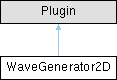
Inheritance diagram for WaveGenerator2D:

Public Member Functions

void begin ()
 Initialize the time-based interpolator. This must be called to set up the interpolator.
void setNoInput ()
 Call to configure the wave generator to not need/user input_t and instead just base the wave parameter on system clock.

Public Attributes

volatile ControlParameter amplitude = 1.0
 Wave amplitude.
BlockPort input_frequency
 Input BlockPort to map a variable wave frequency value.
BlockPort input_t
 Input BlockPort to map a parameter that will be used to compute the wave.
BlockPort input_theta
 Input BlockPort to map the desired 2D orientation of the wave. This is given as an angle in radians, indicating the desired orientation of the horizontal axis of the wave on the 2D plane.
BlockPort output_x
 Output BlockPort for the generated position signal on axis X.
BlockPort output_y
 Output BlockPort for the generated position signal on axis Y.

Protected Member Functions

void run ()

Protected Attributes

volatile float64_t current_angle_rad = 0

Detailed Description

Used for generating a 2D sinusoidal waveform signal along a given 2D direction.

A WaveGenerator2D produces a sinusoidal waveform output based on an input 2D direction (provided as an angle input_theta). It allows control over amplitude, phase, and frequency, making it useful for generating or modifying motion signals with an oscillation. Here's an example of how to instantiate and configure a WaveGenerator2D:

#define module_driver // tells compiler we're using the Stepdance Driver Module PCB
// This configures pin assignments for the Teensy 4.1
#include "stepdance.hpp" // Import the stepdance library
// -- Define Input Ports --
InputPort input_a;
// -- Define Output Ports --
// Output ports generate step and direction electrical signals
// Here, we control two stepper drivers and a servo driver
// We choose names that match the labels on the PCB
OutputPort output_a; // Axidraw left motor
OutputPort output_b; // Axidraw right motor
OutputPort output_c; // Z axis, a servo driver for the AxiDraw
// -- Define Motion Channels --
// Channels track target positions and interface with output ports
// Generally, we need a channel for each output port
// We choose names that match the axes of the AxiDraw's motors
Channel channel_a; //AxiDraw "A" axis --> left motor motion
Channel channel_b; // AxiDraw "B" axis --> right motor motion
Channel channel_z; // AxiDraw "Z" axis --> pen up/down
// -- Define Kinematics --
// Kinematics convert between two coordinate spaces.
// We think in XY, but the axidraw moves in AB according to "CoreXY" (also "HBot") kinematics
KinematicsCoreXY axidraw_kinematics;
// -- Define Inputs --
AnalogInput analog_a1; // foot pedal controlling the wave amplitude
// -- Position Generator for Pen Up/Down --
PositionGenerator position_gen;
// -- Wave 2D Generator and utility functions --
WaveGenerator2D wave2d_gen;
Vector2DToAngle vec2angle;
MoveDurationToFrequency durationToFreq;
Homing homing;
RPC rpc;
void setup() {
// -- Configure and start the output ports --
output_a.begin(OUTPUT_A); // "OUTPUT_A" specifies the physical port on the PCB for the output.
output_b.begin(OUTPUT_B);
output_c.begin(OUTPUT_C);
// Enable the output drivers
enable_drivers();
// -- Configure and start the channels --
channel_a.begin(&output_a, SIGNAL_E); // Connects the channel to the "E" signal on "output_a".
// We choose the "E" signal because it results in a step pulse of 7us,
// which is more than long enough for the driver IC
channel_a.invert_output(); // CALL THIS TO INVERT THE MOTOR DIRECTION IF NEEDED
channel_b.begin(&output_b, SIGNAL_E);
channel_b.invert_output();
// For Axidraw
channel_a.set_ratio(25.4, 2874);
channel_b.set_ratio(25.4, 2874);
channel_z.begin(&output_c, SIGNAL_E); //servo motor, so we use a long pulse width
channel_z.set_ratio(1, 50); //straight step pass-thru.
// -- Configure and start the input port --
input_a.begin(INPUT_A);
input_a.output_x.set_ratio(0.01, 1); //1 step is 0.01mm
input_a.output_x.map(&axidraw_kinematics.input_x);
input_a.output_y.set_ratio(0.01, 1); //1 step is 0.01mm
input_a.output_y.map(&axidraw_kinematics.input_y);
input_a.output_z.set_ratio(0.01, 1); //1 step is 0.01mm
input_a.output_z.map(&channel_z.input_target_position);
// -- Configure and start the kinematics module --
axidraw_kinematics.begin();
axidraw_kinematics.output_a.map(&channel_a.input_target_position);
axidraw_kinematics.output_b.map(&channel_b.input_target_position);
// -- Configure Position Generator --
position_gen.output.map(&channel_z.input_target_position);
position_gen.begin();
tbi.begin();
tbi.output_x.map(&axidraw_kinematics.input_x);
tbi.output_y.map(&axidraw_kinematics.input_y);
tbi.output_parameter.map(&wave2d_gen.input_t, ABSOLUTE);
// -- Configure wave 2D generator --
vec2angle.input_x.map(&tbi.output_x);
vec2angle.input_y.map(&tbi.output_y);
vec2angle.output_theta.map(&wave2d_gen.input_theta, ABSOLUTE);
vec2angle.begin();
wave2d_gen.output_x.map(&axidraw_kinematics.input_x);
wave2d_gen.output_y.map(&axidraw_kinematics.input_y);
wave2d_gen.begin();
durationToFreq.input_move_duration.map(&tbi.output_duration, ABSOLUTE);
durationToFreq.output_frequency.map(&wave2d_gen.input_frequency);
durationToFreq.target_frequency = 1.0;
durationToFreq.begin();
// Map pedal value to wave amplitude
analog_a1.set_floor(0, 25);
analog_a1.set_ceiling(10, 1020); //radians per second
analog_a1.map(&wave2d_gen.amplitude);
analog_a1.begin(IO_A1);
wave2d_gen.amplitude = 0.0;
// -- Configure Homing --
init_homing();
rpc.begin();
rpc.enroll("wave2d_gen", wave2d_gen);
// {"name": "home_axes"}
rpc.enroll("home_axes", home_axes);
// {"name": "go_to_xy", "args": [6, 5, 10]}
// args are: absolute X, absolute Y, speed (mm/s)
rpc.enroll("go_to_xy", go_to_xy);
// {"name": "set_noise_freq", "args": [5]}
rpc.enroll("set_noise_freq", set_noise_freq);
// {"name": "set_noise_amp", "args": [1]}
rpc.enroll("set_noise_amp", set_noise_amp);
// {"name": "corner_test"}
rpc.enroll("corner_test", corner_test);
// {"name": "draw_letter_h_at", "args": [10, 10]}
// args are: start X, start Y
rpc.enroll("draw_letter_h_at", draw_letter_h_at);
// -- Start the stepdance library --
// This activates the system.
dance_start();
}
void loop() {
dance_loop(); // Stepdance loop provides convenience functions, and should be called at the end of the main loop
}
void pen_down(){
position_gen.go(-4, ABSOLUTE, 100);
}
void pen_up(){
position_gen.go(4, ABSOLUTE, 100);
}
void motors_enable(){
enable_drivers();
}
void motors_disable(){
disable_drivers();
}
void init_homing() {
Serial.println("Init homing");
homing.add_axis(
IO_D1, // Stepdance board port for the limit switch
0, // coordinate value we want to set at the limit switch
HOMING_DIR_BWD,
5, // speed at which we move to find the limit
&axidraw_kinematics.input_x);
homing.add_axis(
IO_D2, // Stepdance board port for the limit switch
0, // coordinate value we want to set at the limit switch
HOMING_DIR_BWD,
5, // speed at which we move to find the limit
&axidraw_kinematics.input_y);
homing.begin();
}
void home_axes() {
homing.start_homing_routine();
Serial.println("start homing");
}
void go_to_xy(float x, float y, float v) {
tbi.add_move(GLOBAL, v, x, y, 0, 0, 0, 0); // mode, vel, x, y, 0, 0, 0, 0
}
void corner_test() {
tbi.add_move(GLOBAL, 10, 20, 20, 0, 0, 0, 0); // mode, vel, x, y, 0, 0, 0, 0
tbi.add_move(GLOBAL, 10, 70, 20, 0, 0, 0, 0); // mode, vel, x, y, 0, 0, 0, 0
tbi.add_move(GLOBAL, 10, 70, 50, 0, 0, 0, 0); // mode, vel, x, y, 0, 0, 0, 0
tbi.add_move(GLOBAL, 10, 20, 20, 0, 0, 0, 0); // mode, vel, x, y, 0, 0, 0, 0
}
void set_noise_amp(float amp) {
wave2d_gen.amplitude = amp;
}
void set_noise_freq(float freq) {
durationToFreq.target_frequency = freq;
}

Member Data Documentation

◆ input_frequency

BlockPort WaveGenerator2D::input_frequency

Input BlockPort to map a variable wave frequency value.

// Using the MoveDurationToFrequency utility plugin (durationToFreq),
// compute the closest matching frequency to the target frequency (1.0)
// such that we obtain an integer number of half-periods over
// the entire current move segment from the TimeBasedInterpolator (tbi)
durationToFreq.input_move_duration.map(&tbi.output_duration, ABSOLUTE);
durationToFreq.output_frequency.map(&wave2d_gen.input_frequency);
durationToFreq.target_frequency = 1.0;

◆ input_t

BlockPort WaveGenerator2D::input_t

Input BlockPort to map a parameter that will be used to compute the wave.

// map the parameterization of a TimeBasedInterpolator motion
// to the parameter used to compute the wave2D function
tbi.output_parameter.map(&wave2d_gen.input_t, ABSOLUTE);

◆ input_theta

BlockPort WaveGenerator2D::input_theta

Input BlockPort to map the desired 2D orientation of the wave. This is given as an angle in radians, indicating the desired orientation of the horizontal axis of the wave on the 2D plane.

// Convert the XY vector given by the TimeBasedInterpolator motion into an angle,
// and pass it to the WaveGenerator2D to set the direction of the wave to match that of the TBI move.
vec2angle.input_x.map(&tbi.output_x);
vec2angle.input_y.map(&tbi.output_y);
vec2angle.output_theta.map(&wave2d_gen.input_theta, ABSOLUTE);

◆ output_x

BlockPort WaveGenerator2D::output_x

Output BlockPort for the generated position signal on axis X.

wave2d_gen.output_x.map(&kinematics.input_x); // Control the X axis of a machine

◆ output_y

BlockPort WaveGenerator2D::output_y

Output BlockPort for the generated position signal on axis Y.

wave2d_gen.output_y.map(&kinematics.input_y); // Control the Y axis of a machine

The documentation for this class was generated from the following file: