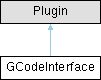
G-code interface class for parsing and executing G-code commands as motion streams. More...
#include <interfaces.hpp>
Public Attributes | |
| BlockPort & | output_x = target_interpolator.output_x |
| Initialize the G-code interface with a USB serial port. | |
| BlockPort & | output_y = target_interpolator.output_y |
| BlockPort for Y axis output. Use this to map to downstream components to drive position based on G-code Y-axis commands. | |
| BlockPort & | output_z = target_interpolator.output_z |
| BlockPort for Z axis output. Use this to map to downstream components to drive position based on G-code Z-axis commands. | |
| BlockPort & | output_e = target_interpolator.output_e |
| BlockPort for extruder output. Use this to map to downstream components to drive position based on G-code E-axis commands. | |
| BlockPort & | output_parameter = target_interpolator.output_parameter |
| Output BlockPort for the generated position signal of a parameter in [0, 1] range. The parameter varies from 0 to 1 along each linear segment corresponding to a single move. | |
| BlockPort & | output_duration = target_interpolator.output_duration |
| Output BlockPort for the duration of the active move. Indicates the time the entire move is scheduled to take. This is useful to plan parallel motion that we want to happen during moves. | |
Protected Member Functions | |
| void | loop () |
Detailed Description
G-code interface class for parsing and executing G-code commands as motion streams.
The GCodeInterface class provides a G-code parser and interpreter for motion control. It processes standard G-code commands sent via serial using gSender. To use, install gSender and set the output port to the serial port connected to the StepDance controller running this interface. You can send common G-code commands for linear motion, coordinate systems, and machine control. Note- currently not all G-code commands are supported; unsupported commands will return an error message. We are working on this. For an example of how to use this class, see gcode_interface/gcode_interface.ino
Member Data Documentation
◆ output_x
| BlockPort& GCodeInterface::output_x = target_interpolator.output_x |
Initialize the G-code interface with a USB serial port.
- Parameters
-
target_usb_serial The USB serial port to use.
// -- Start the G-Code interfaceSerialUSB1.begin(115200);gcode_interface.begin(&SerialUSB1);
BlockPort for X axis output. Use this to map to downstream components to drive position based on G-code X-axis commands.
The documentation for this class was generated from the following file:
- lib/interfaces.hpp